The idea for your CRM is that it helps you, amongst other things, to keep all information organized and centralized so you don't miss anything. However, for those who already had a store outside the system or were keeping manual control of their products and inventory having to move that information can be a daunting task.
With the help of this guide, you and your team can minimize the effort and move all your products over at once. To start, go to the Products tab inside the Payments section.

Next, click Import as a CSV.

Click Download sample CSV, this will download a file you can use as a reference when creating your spreadsheet. If you already have a file, be sure to save it as a CSV with the correct formatting.

The system will import any information within these fields:
| Inventory Variables | Shipping Variables | Product Label |
|---|---|---|
| Track Inventory - True/ FalseAllow out-of-stock purchases -True/FalseAvailable quantity - numberSKU | Weight value - numberWeight unit - Kg, g, lb, Oz(Non-case sensitive)Dimension Length - numberDimension Width - numberDimension Height - numberDimension unit - cm, m, in (Non-case sensitive) | Enable Product label (True/ False)Product label contentStart date and time - ISO FormatEnd date and time - ISO FormatSEO TitleSEO Description |
When you have your file ready, click to upload and select it from your device files, then click Upload and Preview.

This will use the first product in the list to show you a preview of how the products will look inside the system. If you're happy with the view click Import Products to continue.

It takes a moment for the system to import the products so a popup will be displayed to help you keep track of the process.
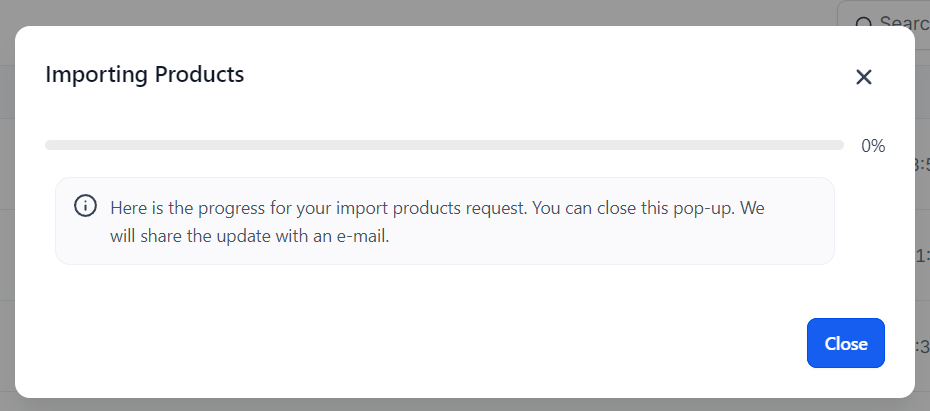
You should now see your products as individual entries under the Products page. If you do, you are done! The days of creating your product list one by one are long gone. Now you can import large lists of products when needed!
Was this article helpful?
That’s Great!
Thank you for your feedback
Sorry! We couldn't be helpful
Thank you for your feedback
Feedback sent
We appreciate your effort and will try to fix the article