Products created on the mobile platform will seamlessly synchronize with our web platform, ensuring that all entries appear under the Products tab within the Payments section. This bidirectional synchronization guarantees that any updates made on either platform are reflected instantaneously, maintaining consistency and accuracy across your entire product catalog.
This feature significantly enhances operational efficiency by enabling you to manage your inventory on the go, ensuring your data is consistently up-to-date and accessible from any device. With this increased accessibility, you can further refine your product listings by uploading relevant images, which will be prominently displayed within the POS product catalog.
Additionally, you have the flexibility to define various pricing models for a single product, such as standard price, discounted price, and stock clearance price. If a single price is set for a product, you can create variants based on specific properties, such as size and color for a jacket. This versatility allows for a more comprehensive and customizable approach to inventory management, catering to diverse business needs and enhancing the overall customer experience.
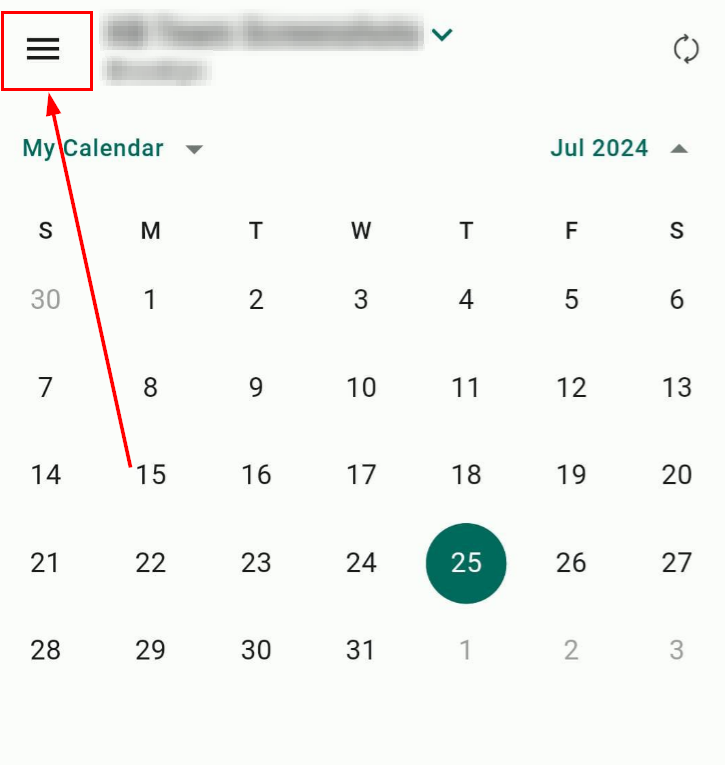
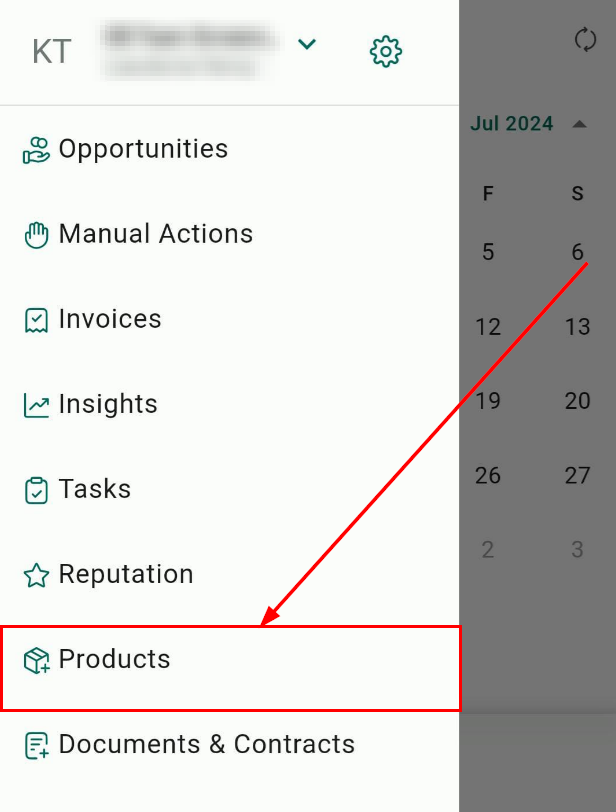
Navigate to Products
Click on the Hamburger menu on the top left of the screen to reveal the left-hand navigation, then head over to Products.
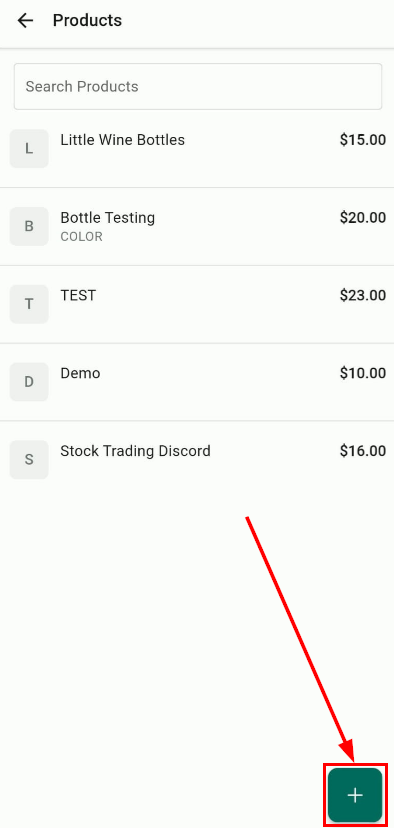
Create a New Product
Press the floating "+" button on the bottom right of the screen to initiate the product creation process.
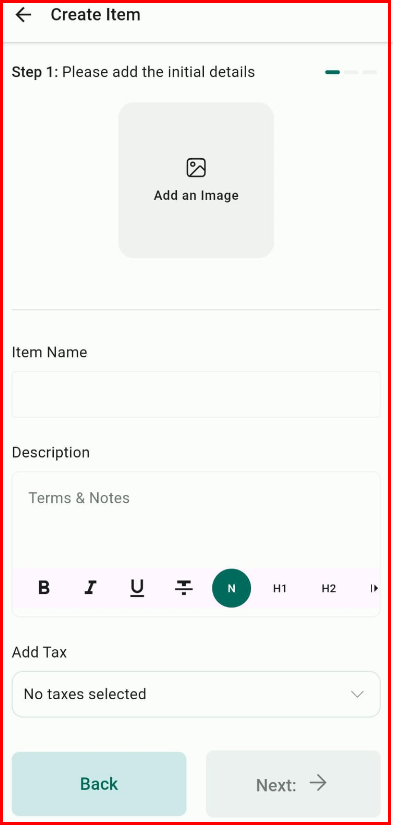
Define Basic Details
In the first step, enter all the basic details about your product, including name, description, image, item type, and statement descriptor (optional).
Set Pricing Models
In the second step, define the pricing models for your product. You can set more than one price for a single product.
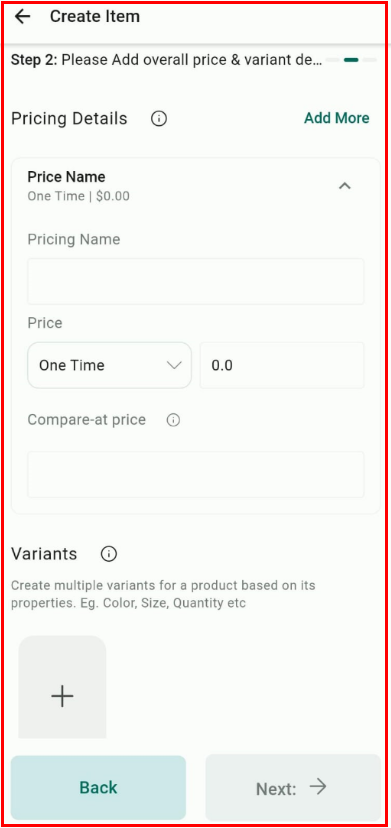
If you have defined a single price for your product, you can create variants based on its properties. For multiple variants, you can define pricing for each variant combination.
Review and Save
In the final step, review all the details of your product at a glance. Choose to save or cancel the process.

Once saved, the product is added to the product list, which can be used for the POS Product Catalog or invoices.
With these capabilities, managing products and services on mobile has never been more convenient. Update your mobile app to the latest version today and take advantage of these powerful new features to enhance your payment and product management.
Was this article helpful?
That’s Great!
Thank you for your feedback
Sorry! We couldn't be helpful
Thank you for your feedback
Feedback sent
We appreciate your effort and will try to fix the article