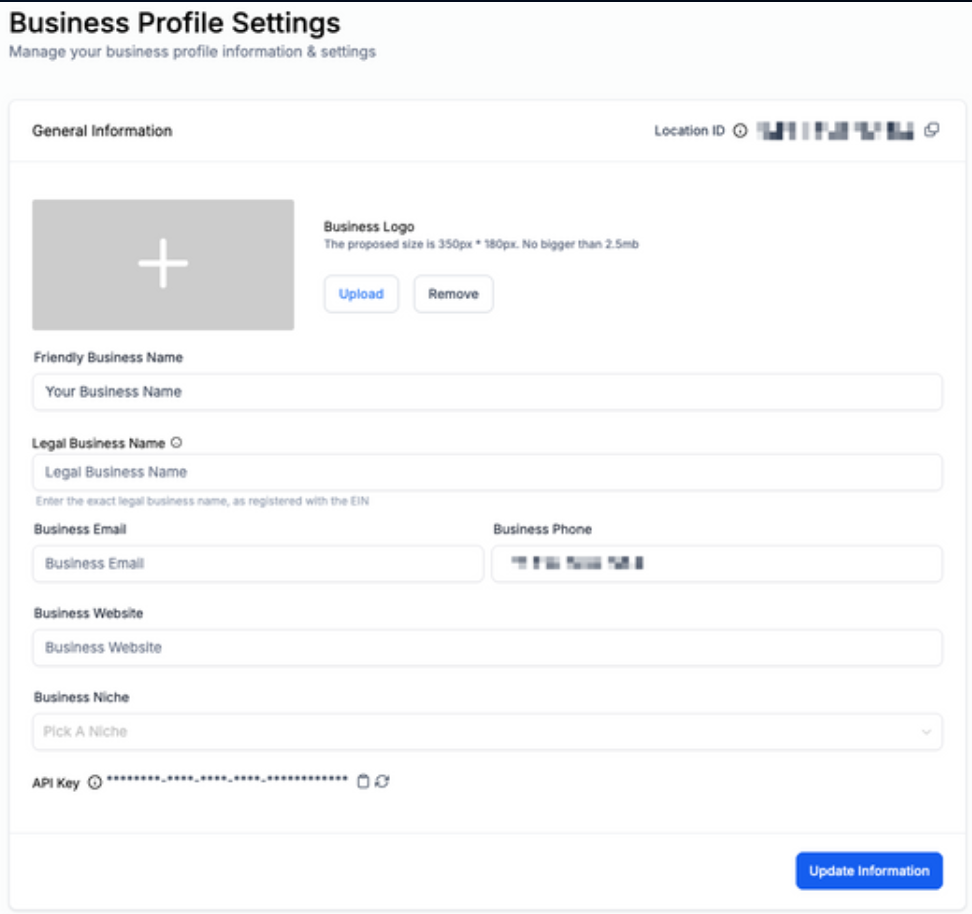
Your “Business Profile” is the section where you can input your specific business information. This includes things like your company name, address, phone number, website, company logo, and any other information about your business.
Part 1: Accessing and Updating General Settings
- Navigate to Settings > Business Profile > General Information
- Fill out the relevant information
- Click “Update Information” once complete
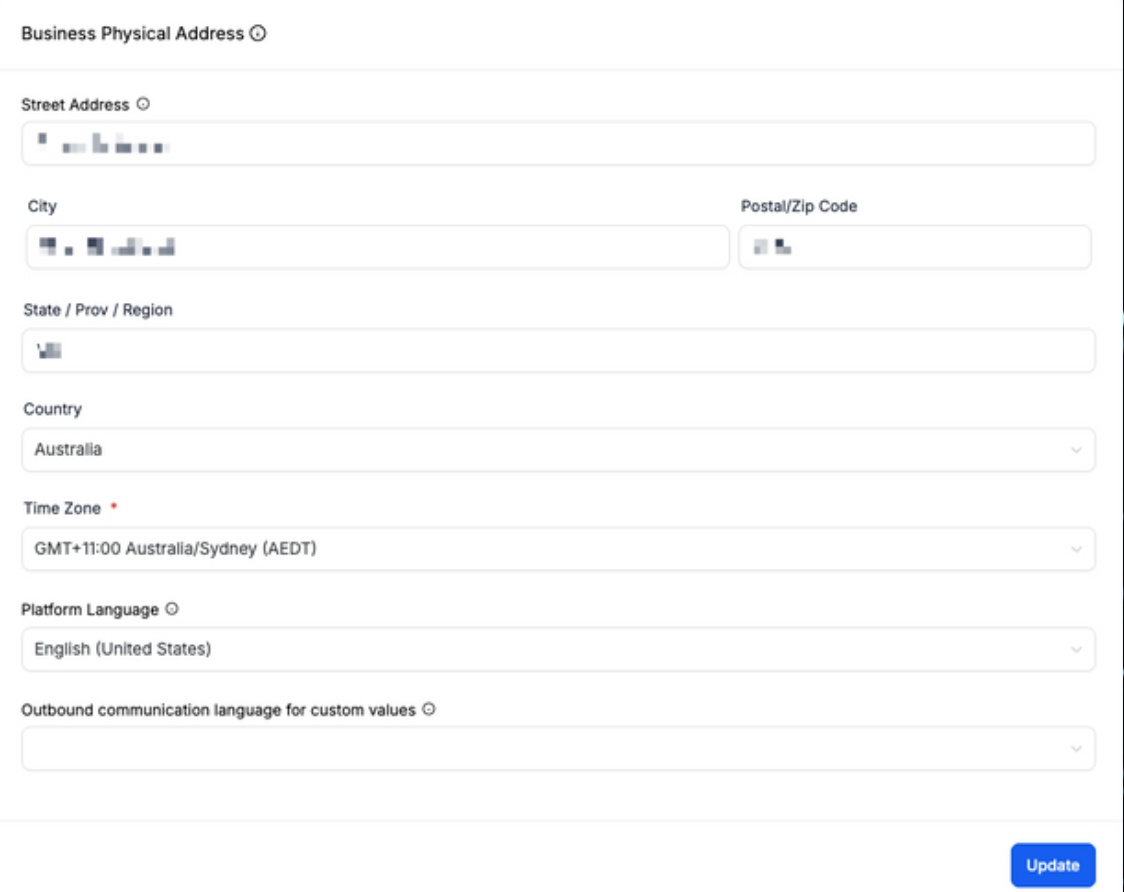
Part 2: Business Physical Address
- Fill out your business address, timezone, and language here.
Note: Timezone is extremely important, as it determines the timezone for the system.
- Select “Update” once complete
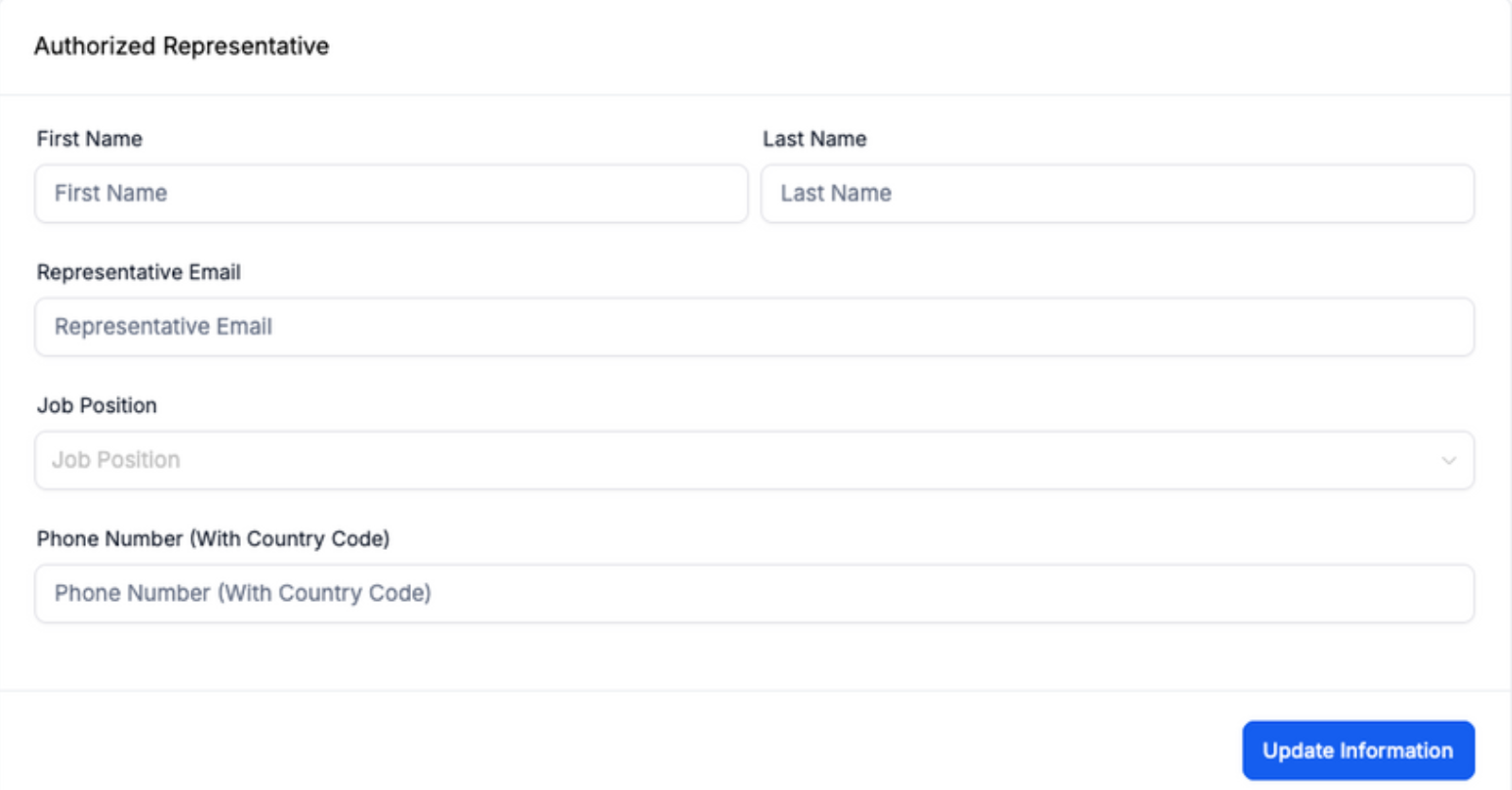
Part 3: Authorized Representative
- This is where you will fill out information if you have a specifically authorized representative on the account
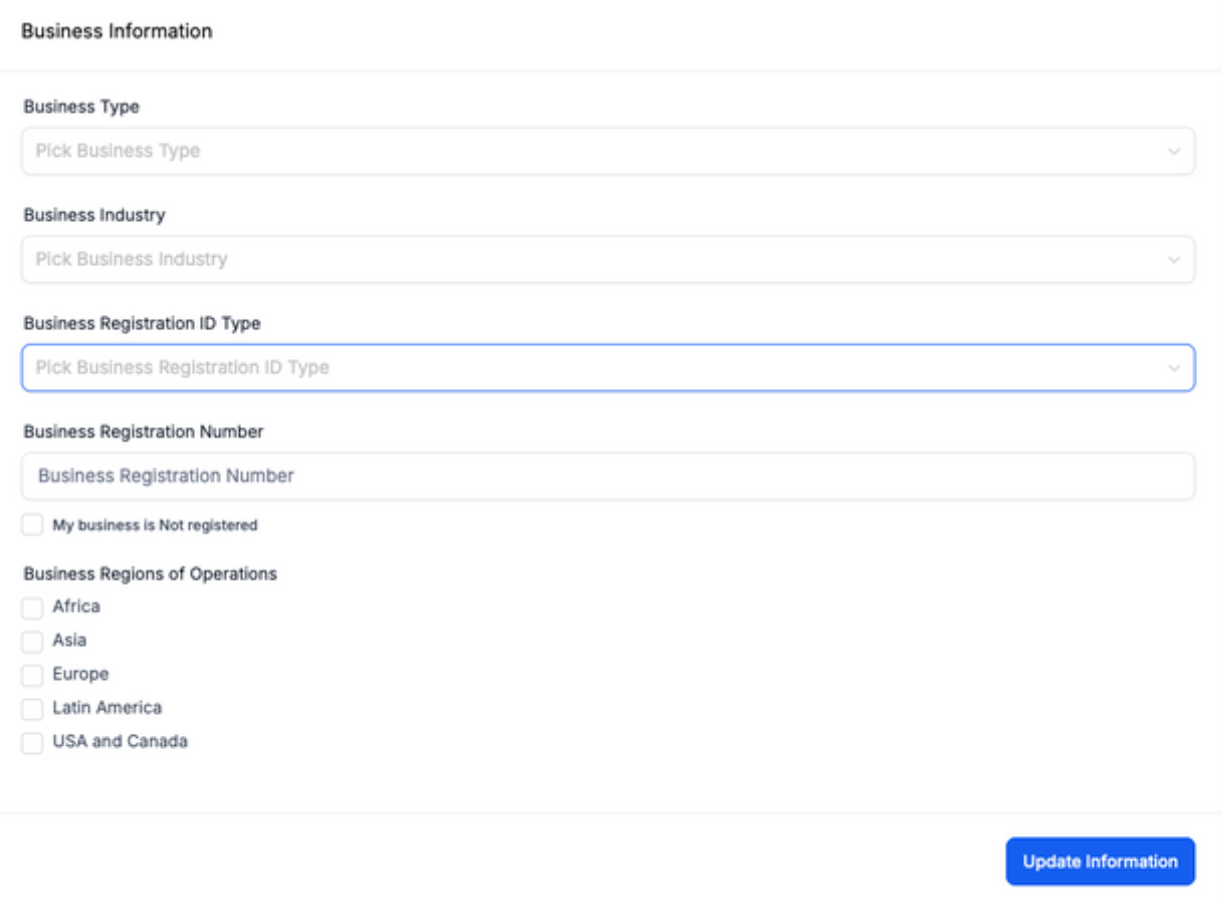
Part 4: Business Information
- This is where you will fill out your general business information
Was this article helpful?
That’s Great!
Thank you for your feedback
Sorry! We couldn't be helpful
Thank you for your feedback
Feedback sent
We appreciate your effort and will try to fix the article