Zoom & Calendar Integration
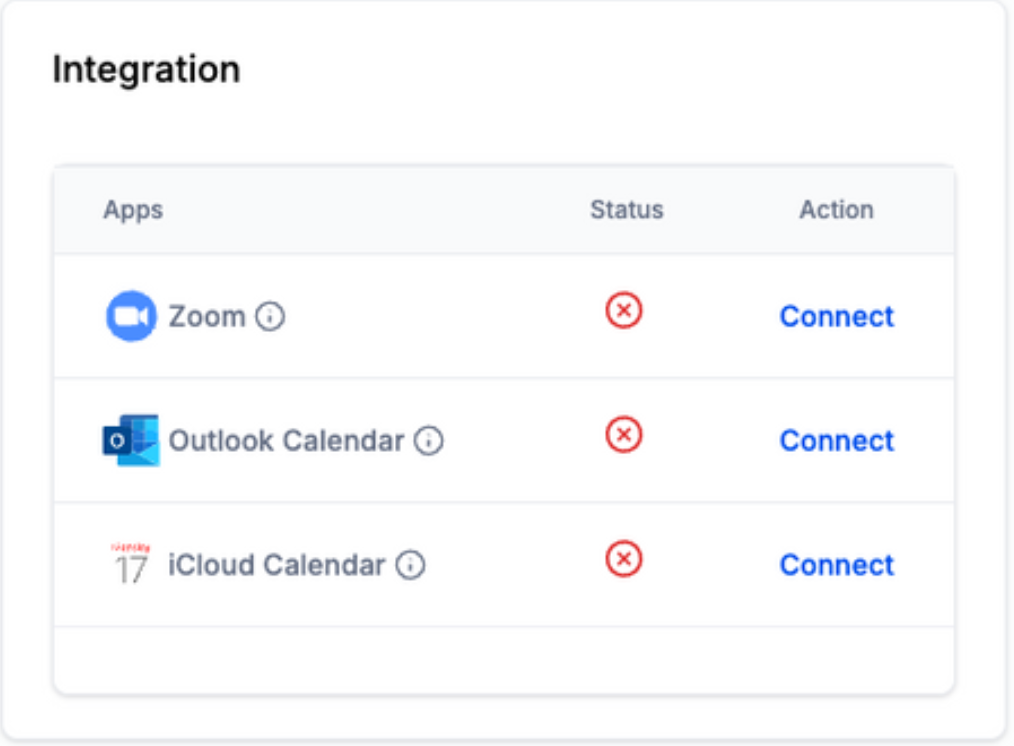
This is where you can integrate Zoom and your Outlook or iCloud calendar.
Just click Connect.
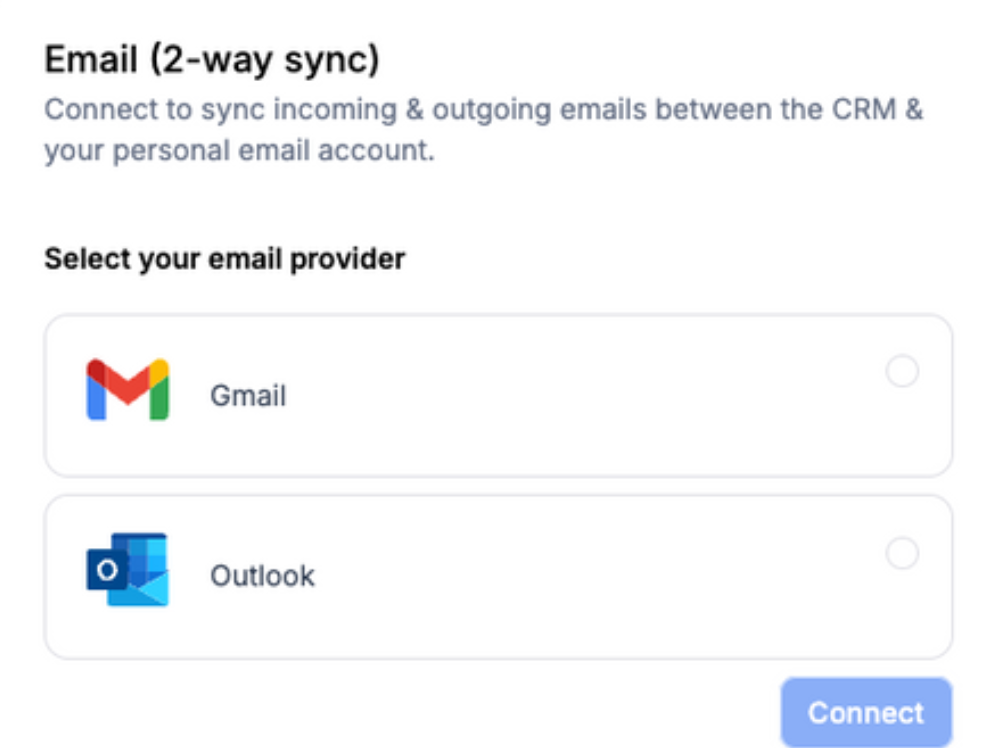
Email (2-way sync)
- You can connect your personal Gmail/Outlook email account and sync outgoing & incoming emails between the LaunchPro and your personal Gmail/Outlook account.
- The sync will be established between both platforms when an email thread is initiated from LaunchPro (first outbound message). All the subsequent emails in the thread will sync between both platforms.
- Select Gmail or Outlook then click Connect.
- Choose the account > Connecting it will then ask you about which permissions you are allowing LeadConnector to have on your account; make sure to allow all and then hit Continue.
Was this article helpful?
That’s Great!
Thank you for your feedback
Sorry! We couldn't be helpful
Thank you for your feedback
Feedback sent
We appreciate your effort and will try to fix the article